Time Tracking That Fits Your Workday
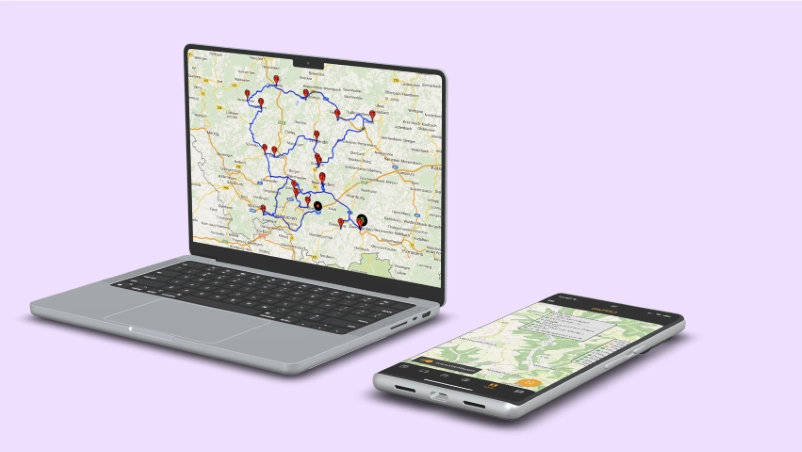
SWTracker is time tracking and project organization software for companies with mobile teams and changing work sites.

Powerful Features for Time Tracking
and Project Organization
Everything you need to track time, manage projects, and collaborate with your team.
Time Tracking
Record work hours to the minute with geolocation verification. Employees clock in and out from the web app or mobile device. Timestamps are enriched with location data so you always know where hours were logged. Automated timesheets are generated from the recorded data, saving manual effort at the end of each month. Break times and overtime are calculated automatically based on your configured rules. Schedules let you set working time models with target hours per weekday, weekly alternating plans or summer and winter working hours.
Learn more: Time TrackingProject Time Tracking
Assign time entries to specific projects, tasks, or cost centers. Team leads can see at a glance how hours are distributed across active projects, spot overruns early, and generate client-ready reports. POI-based project selection detects from the location which site an employee is at and selects the matching project automatically. Alternatively, the employee picks it by hand.
Learn more: Project Time TrackingDuty Roster
Create and publish shift plans that your team can see on their devices immediately. Drag and drop to reassign shifts, handle coverage gaps, and account for part-time and flexible schedules. Employees report their availability directly in the app and are notified of schedule changes in real time.
Learn more: Duty RosterVacation Planning
Employees submit vacation and absence requests from their phone or browser. Managers see pending requests in a clear overview and can approve or deny with one click. The system tracks remaining vacation days automatically, with optional BRTV-compliant vacation calculation for construction industry teams.
Learn more: Vacation PlanningTeam Chat
All messages are end-to-end encrypted. Create group chats for specific projects or teams, message colleagues individually, share files directly in the chat, and keep work communication separate from personal messaging apps. Built for teams in the field who need a secure, simple way to stay coordinated.
Learn more: Team ChatReports
Visual dashboards break down hours by employee, project, and time period. Export data as PDF, CSV or Excel for payroll or accounting software integration. Supervisors get a clear view of team workload, overtime trends, and project profitability, all updated in real time as time entries come in.
Learn more: ReportsPersonnel Files & Work Instructions
Store employee documents, certifications, and task instructions in one place. Employees confirm assigned instructions in the app, and each confirmation is documented with a proof that the employee receives as well. The staff directory gives everyone the contact details of their colleagues.
Learn more: Personnel Files & Work InstructionsCompanion App
The iOS and Android app gives field workers access to attendance recording, project time tracking, personnel files, and team chat. Cached data stays accessible offline. Push notifications keep everyone updated on schedule changes, absence approvals, and new messages.
Learn more: Companion AppFleet Telematics
EnterpriseSee your vehicles and equipment on the map in real time, have trips added to the logbook automatically and evaluate jobs. We put the solution together individually for your company with matching hardware.
Learn more: Fleet Telematics